
Convection boundary conditions
This topic explains what thermal boundary conditions you can use for convection.
This lesson may include hands-on exercises. Review the Discussion section for background information or click the button to proceed to the practical section.

Discussion
You can define convection in Simcenter 3D using two main methods.
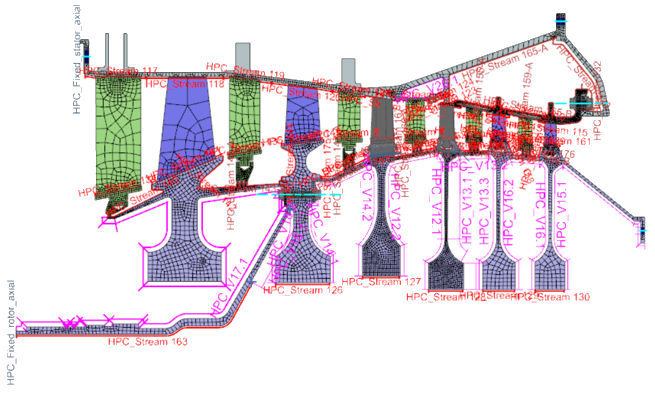
- Method 1 — Surface-based convection boundary conditions
- Use Thermal Streams, Thermal Voids, and Thermal Convective Zones as the primary convection boundary conditions in Simcenter 3D when you want to apply convection directly to thermal surfaces without explicitly modeling a detailed 1D duct network. In this approach, the thermal solver automatically reconstructs the internal ducts in the background. You specify the fluid boundary conditions directly on the walls.
- Method 2 — Coupled 1D fluid networks
- Use coupled 1D fluid networks when you need to explicitly model fluid flow using 1D duct elements connected to convecting surfaces. In this approach, you define the fluid network directly and couple it to the thermal model to represent detailed flow paths and fluid-system behavior.
Hands-on material
To gain experience with the topics discussed here, complete the following:

Further learning
 Modeling fluid network using thermal streams or ducts
-
Modeling cavities using voids or duct nodes
-
How to model mixed flow from two ducts into the thermal stream?
-
How to model flow recirculation using thermal streams?
-
Comparison of cylindrical and standard thermal streams
-
How to model multiple passages with a single thermal stream