
Post-processing results
This lesson introduces post-processing commands to help you review and evaluate simulation outcomes using visualization and data analysis.
This lesson may include hands-on exercises. Review the Discussion section for background information or click the button to proceed to the practical section.

Discussion
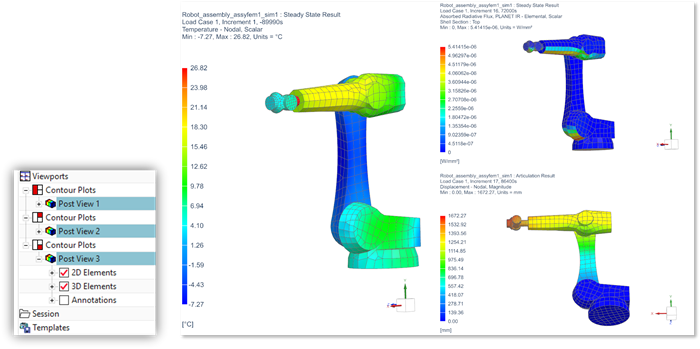
Post processing allows you to visualize, analyze, and interpret thermal and flow results to evaluate model behavior and support design decisions. Using post views, you can create and manage result displays efficiently while comparing multiple result sets within a single simulation.
- Post views and result visualization
- Post views store post-processing configurations and provide a consistent way
to control how results are displayed across different views and viewports.
You can create nodal or elemental contour plots, marker plots, and
animations, and display them using sections, cutting planes, and mesh
display options. Multiple viewports allow you to compare results or
visualize different quantities simultaneously.
- Contour plots and display control
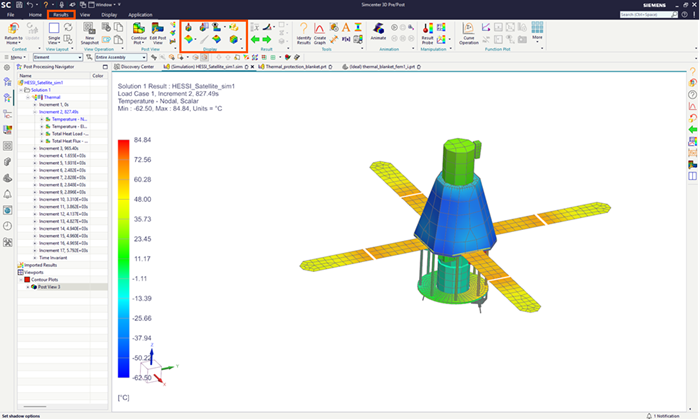
- Contour plots can be displayed using different styles, such as banded
contours, iso-surfaces, spheres, and arrows. Display options allow you to
control edge visibility, apply cutting planes, and overlay multiple result
types in a single view. Visibility controls, such as Show
Only, help isolate specific parts of a model or selected
groups of elements.
- Managing and probing results data
- Results data can be identified, probed, and exported for further analysis. Tools such as Identify Result, annotation markers, and result probes allow you to inspect values at specific nodes or elements, track results over time, and generate customized result expressions. Results can be written to spreadsheets or text files for reporting or further evaluation.
- Importing and reviewing results
- You can import results from other solvers or review results independently of the associated FEM or Simulation files. Imported results can be accessed through the Post Processing Navigator or stored as imported solutions, enabling quick review and comparison of analysis data.
Hands-on material
To gain experience with the topics discussed here, complete the following:

