
Simulation process
This topic covers the typical simulation workflow used to perform thermal analyses.
This lesson may include hands-on exercises. Review the Discussion section for background information or click the button to proceed to the practical section.

Discussion
A typical workflow in Simcenter 3D Space Systems Thermal includes the following steps:
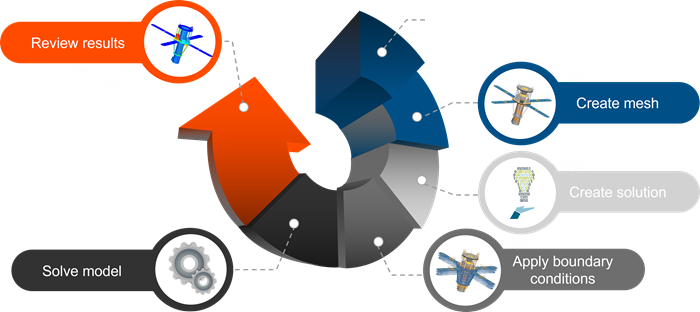
- Prepare the geometry for meshing. You can build a model manually from scratch or import existing geometry and simplify it using tools in the Modeling application.
- Mesh the model to create the finite element representation.
- Create a solution define the appropriate solver parameters.
- Apply thermal boundary conditions, such as thermal loads, constraints, contacts, and radiative interactions.
- Solve the model to generate analysis results.
- Post-process the results using visualization tools such as contour plots and XYZ graphing.
Hands-on material
To gain experience with the topics discussed here, complete the following:

