
Preparing a geometry for meshing
This topic introduces the geometry creation and preparation workflow used in Simcenter 3D Space Systems Thermal. You will learn how to create or import geometry, modify and repair it for analysis, create associative copies for CAE workflows, and idealize the geometry prior to meshing.
This lesson may include hands-on exercises. Review the Discussion section for background information or click the button to proceed to the practical section.

Discussion
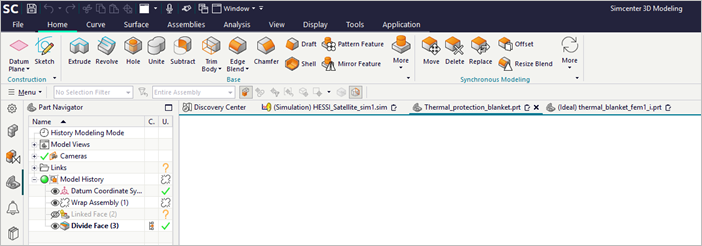
You can create geometry manually using sketch-based modeling or import it from third-party CAD systems.
- Sketch-based modeling
- A sketch is a named set of 2D curves defined on a plane or path. Use
Sketch to:
- Define profiles or typical cross-sections.
- Create detailed part features by sweeping, extruding, or revolving a sketch into a solid or a sheet body.
- Develop large-scale 2D layouts with hundreds, or even thousands, of sketch curves.
- Modifying geometry before meshing
- Before meshing, geometry often requires cleanup or simplification. For many models, you can use the Geometry Preparation and Synchronous Modeling commands. Sometimes, however, you need the tools available in the Modeling application.
- Creating an associative copy of geometry
- Before modifying an idealized part, you must first create an associative
copy of the geometry you want to modify, using:
- Promote that copies selected solid or sheet bodies.
- WAVE Geometry Linker that creates associative links to bodies, faces, or edges.
Use WAVE Geometry Linker for greater control over what geometry is copied and when updates are applied.
- Idealizing geometry
- Geometry idealization simplifies the model prior to meshing and is performed
on the idealized part. You can:
- Remove or suppress features.
- Split bodies to control mesh density.
- Create midsurfaces for thin-walled parts.
Hands-on material
To gain experience with the topics discussed here, complete the following:
