
Preparing a model for meshing
This is an objective-based lab. Instead of being provided a list of instructions, you are simply provided a scenario and problem statement to solve. Please work to solve the scenario of each activity listed below.
 Download and extract the part files.
To prepare the brake assembly for meshing and thermal analysis, remove holes from the disk and the brake pads modify their dimension.
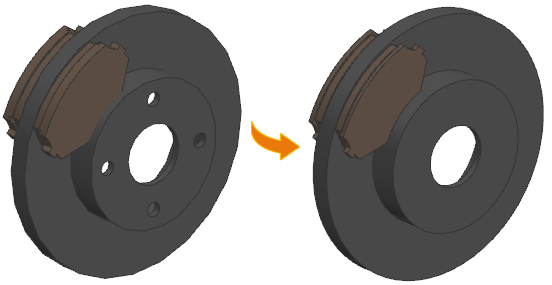
Question:
How to prepare the brake assembly for meshing, when the designer informed you that the design will change and asked you to change its dimension before performing the thermal analysis?
Instructions:
-
Use synchronous modeling to remove:
- The four holes from the disk.
- The small holes on the brake pads.
- 5 mm height from both pads.
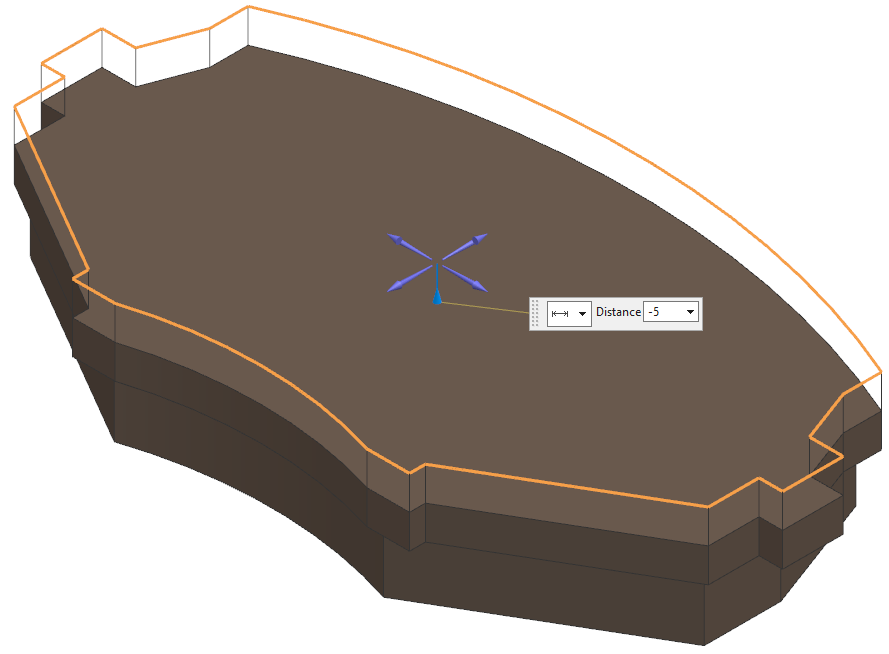
-
Fix the interface between the disk and the brake pad in the –Y direction, which
you can see using clearance analysis, or when you switch to the Fix the
interface between the disk and the brake pad in the –Y direction, which you can
see using clearance analysis, or when you switch to the Wireframe
with Dim Edges rendering style.
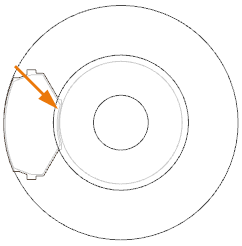
Here are some ways to fix the interface:- Trim the brake pad polygon body using the Split Body or Trim Body commands to remove the part of the pad that is interfering with the disk.
- Move the pad 5 mm in the +Y direction.
- Make the inner disk part smaller using the Radiate Face command.