
Extract and calculate tip clearance
Learn how to extract displacement data and contact gap results to calculate blade tip and flowpath clearances.
 Download and extract the part files.
Introduction
One of the primary objectives of a whole engine model is to predict clearances throughout the engine, including blade tips, labyrinth seals, rim cavities, and axial gaps in the flowpath. Accurate clearance prediction leads to improved performance estimates and greater engine reliability.
Gas turbine design teams frequently optimize clearances through sensitivity studies, varying parameters such as geometry, materials, cooling network configurations, and transient operating conditions.
In this tutorial, you will:
- Create result probes at defined points.
- Compare Cartesian and cylindrical displacements.
- Extract gap distance from contact results.
- Manually extract displacement data.
- Calculate clearances, including the effect of angled blade tips.
Load the thermal plugin
Enable the ExpressionsPlugin.dll if not already active. The predefined boundary conditions in the model use heat transfer coefficient (HTC) correlations implemented through custom expressions. These correlations require the plugin to evaluate correctly during the simulation.
- Choose .
- Click Simulation, expand Pre/Post, and then scroll to Expressions.
- On the Plugin tab, select the Use Custom Plugin check box and in Custom Plugin, type the full path to the ExpressionsPlugin.dll file as plugin\ExpressionsPlugin.dll.
- Click OK, exit Simcenter 3D, and restart the application to activate the plugin.
Define assembly load options
Configure search folders to load the workshop model.
-
On the Home tab, click Assembly Load
Options
 .
.
Inspect points and contact definitions
Review named points and inactive contact definitions used for clearance extraction.
-
Press Ctrl and W, and next to Points click
 Show Points.
-
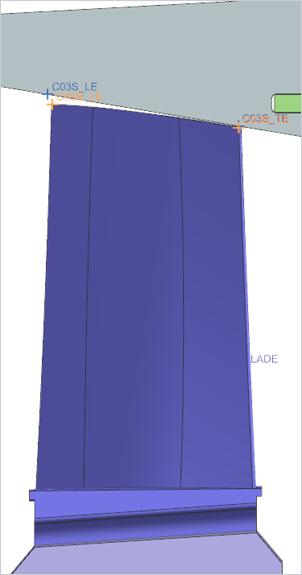
Observe the named points at the blade tip locations as shown.
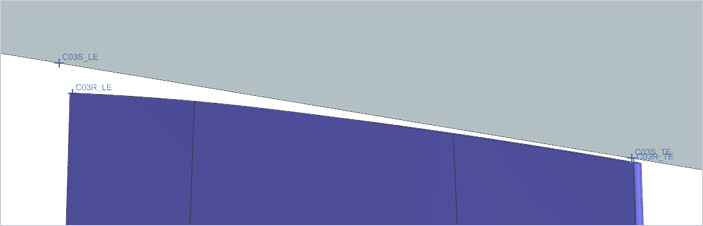
-
In the Simulation Navigator, under
HPC_Blade_Tips, right-click
HPC_E2EC_Stage 6 blade to case to inspect the
edge-to-edge contact defined on the last stage of the compressor.
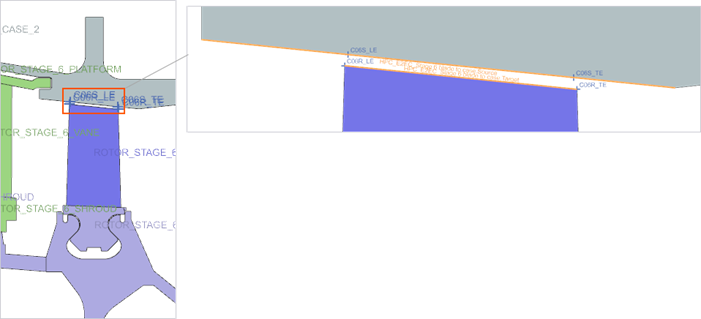
-
In Local Contact Pair Parameters, click
 to inspect the Local
Overrides contact parameters.
Within the contact parameter settings, observe that the Interface Behavior (INTRFC) is set to Inactive. An inactive joint allows the Simcenter Nastran solver to compute and report gap distance results without affecting structural displacements or stresses. In this scenario, the contact is intentionally set to inactive so it can be used solely for post-processing clearance results, without influencing the solution.
to inspect the Local
Overrides contact parameters.
Within the contact parameter settings, observe that the Interface Behavior (INTRFC) is set to Inactive. An inactive joint allows the Simcenter Nastran solver to compute and report gap distance results without affecting structural displacements or stresses. In this scenario, the contact is intentionally set to inactive so it can be used solely for post-processing clearance results, without influencing the solution.
Manually graph and export displacement data
Plot displacement results and export data for comparison.
-
Choose
 to create the across iterations
graph on any of the compressor blade tips, for example stage 6.
to create the across iterations
graph on any of the compressor blade tips, for example stage 6.
-
In the Y Axis group, from the
Method list choose Pick from
Model, and select leading and trailing edge nodes at a blade
tip of stage 5 as shown.
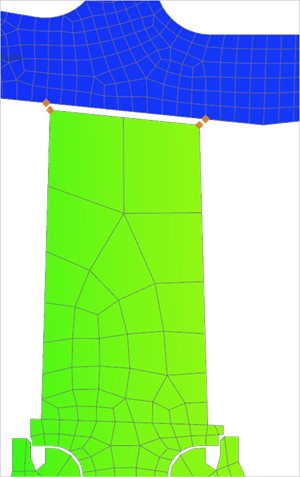
-
Click OK and in the Viewport
dialog box, click Create a New Window to Plot .
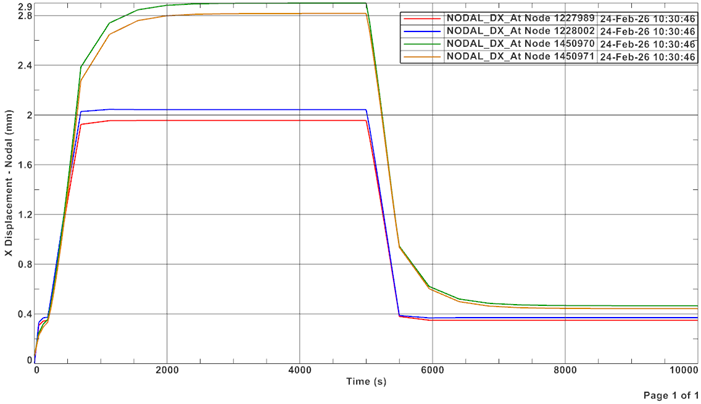
-
Choose
 .
.
Set up result variables and compare Cartesian and cylindrical displacement
Explore differences between Cartesian and cylindrical X displacement.
-
Choose
 to create result probes for cartesian X and for
cylindrical X displacement.
to create result probes for cartesian X and for
cylindrical X displacement.
-
In the Formula group, click Create Result
Variable
 to create result variable for
the Cartesian displacement.
to create result variable for
the Cartesian displacement.
-
From the Selection Type list, choose
Points and select the points on the leading edge
and trailing edge of the stage 3 compressor blade, which are labeled
C03R_LE and C03R_TE.
-
In the Formula group, click Create Result
Variable
to create result variable for
the cylindrical displacement.
-
Right-click the graph and select to compare the results.
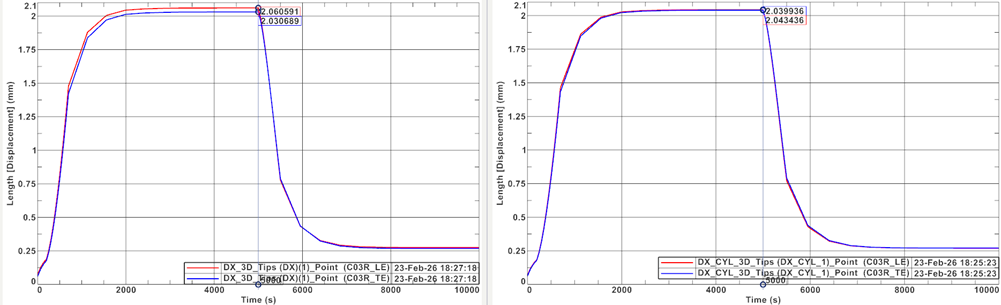
Because the blade is modeled in 3D, slight differences between Cartesian X and cylindrical X displacement are expected.
For rotating machinery, cylindrical X displacement should be used, as it represents true radial movement relative to the engine centerline.
Set up result probe for final contact separation
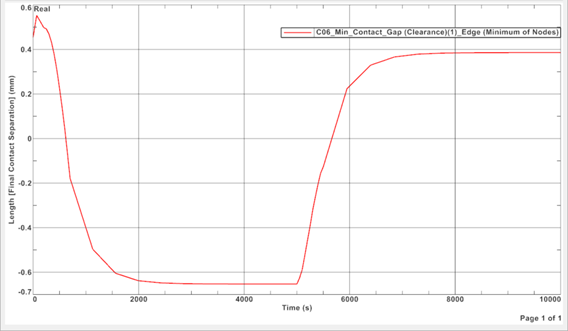
Extract minimum blade tip clearance from contact results.
-
Form the Selection Types, choose
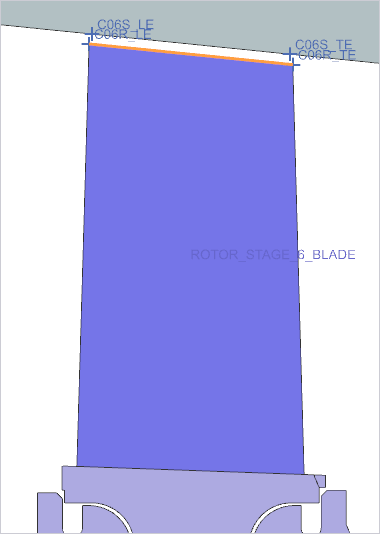
Edges and select the shown edge as users are
interested in the minimum clearance at the blade tip.
-
Create and review the graph.
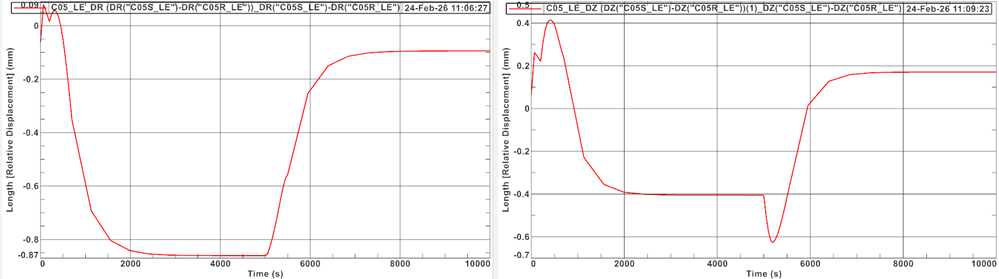
Set up result probe for delta displacement using built-in functions
Create a result probe using built-in functions to compute relative radial and axial displacement.
-
Graph and export results.
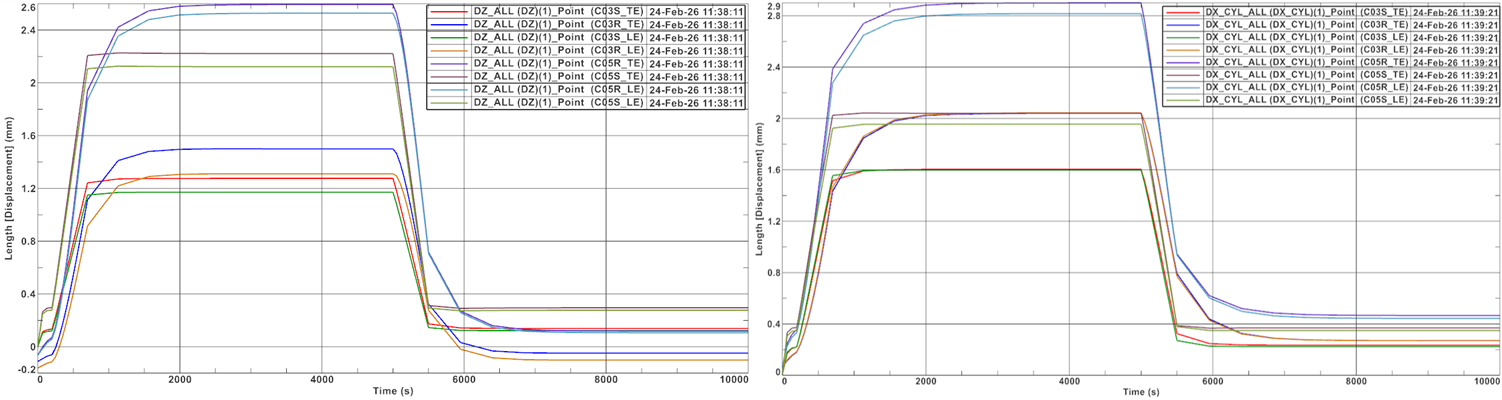
Set up result probe for radial and axial displacement of multiple points
Create a single probe to extract data for multiple blade locations.
-
Graph and export CSV files for further processing.
Calculate blade tip clearance
Compute conical blade tip clearance using radial and axial displacement components.
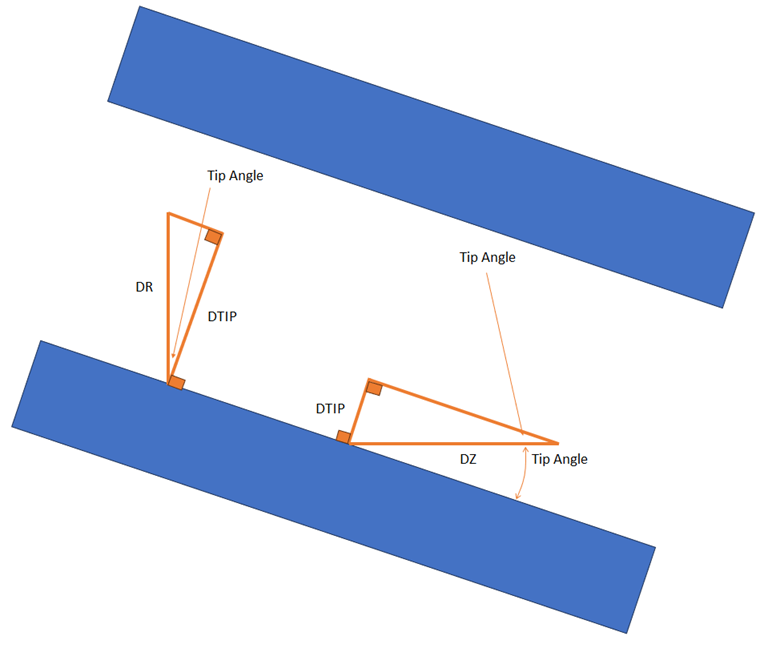
Where:
- DR is a displacement in radial direction.
- DZ is a displacement in axial direction.
- DTIP is a displacement perpendicular to blade tip.
- Tip Angle is a blade tip angle relative to axis of rotation.
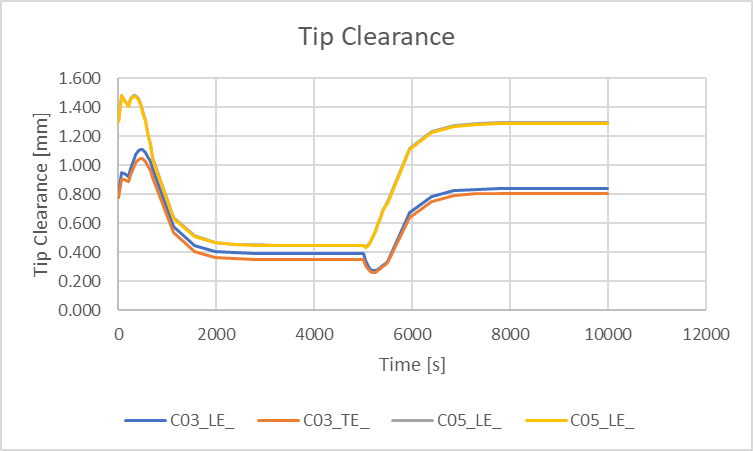
-
Observe the graphs, which show the relative closure, as well as the tip
clearance, during the transient cycle.
Additional notes
- Consider additional 3D effects such as gravity, vibration, non-axisymmetric temperatures, and tolerance stackups.
- Clearances are defined based on tolerance stackups of components and assemblies. Therefore, clearances are also defined with tolerances.
- Axial clearances are more difficult to control, especially on the turbine side, because the displacement is based on the thermal growth and transient behavior of the whole engine.