
Support Portal overview
Maya HTT Support Portal lets you raise a request or issue regarding our products, search our information, and view your open requests.
To access our support portal you need to have a valid user account.
You view the existing requests, which you created or somebody shared with you, on the Requests page of the Maya HTT Support Portal. You access this page by clicking your avatar on the top right of the page and selecting Requests.
You can use the pull-down options to filter the list of requests by status, request type, or the person who created the request. You can also use the search field to restrict your results. In the result list, use the column headers to sort the results.
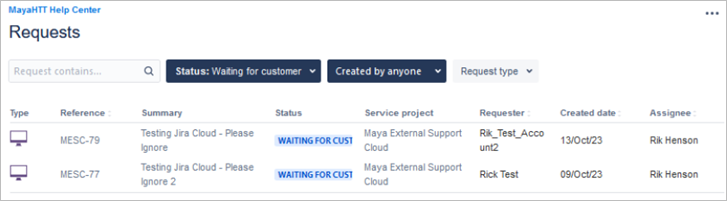
To view the details of your request, click any request from the list. You can comment directly in your displayed request to discuss your issue with the assigned support representative.
Profile options
When you click on your avatar and select Profile, you can change your password and your display name, or set the default language and time zone.