To request licenses for Maya HTT products, download the products, and access their technical and user documentation from Maya HTT Customer Portal, you must first have a valid account.
-
In a browser, navigate to the Maya HTT Customer Portal.
-
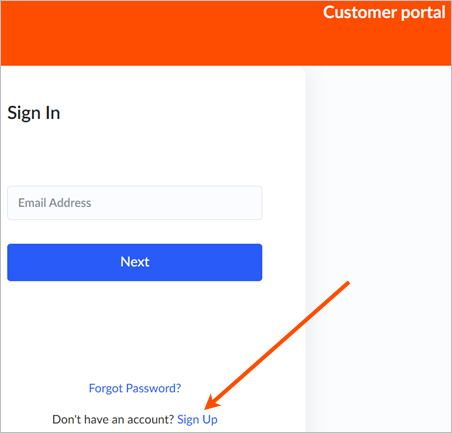
On the Sign In page, at the bottom of the page, click Sign Up.
-
On the Sign up page, enter your name and email address.
-
Complete the Captcha and click Sign up.
An email from customerportal@mayahtt.com with the subject
Maya HTT Customer Portal - Invitation is sent to the provided address.
Tip: Verify your spam folder if you did not receive the email.
-
Open the email message and click the provided link to validate your email address.
You are redirected to the browser to continue the account creation procedure.
-
In the browser, create your password following the requirements listed, enter it a second time, and click Confirm.
After creating your password, the account validation form opens.
-
On the Verify your portal account page, provide additional information, which will help us verify your identity and client status.
Fields marked with a star are required.
-
Click Submit.
You will receive an email from customerportal@mayahtt.com with the subject Maya HTT Customer Portal Account Validation Request. The validation process can take up to 5 business days.
When the account creation is approved, you will receive a confirmation email with the subject Maya HTT Customer Portal account has been validated. You are now ready to log in to the portal.